Saved opportunities
Keep the solicitations you are evaluating in your own lists, and mark each one Pursuing or Dismissed.
BID 718 Bids Early Access
Public opportunity discovery
Search and monitor supported New York City and New York State solicitations, deadlines, agencies, and award history from one workspace.

01 · Find opportunities
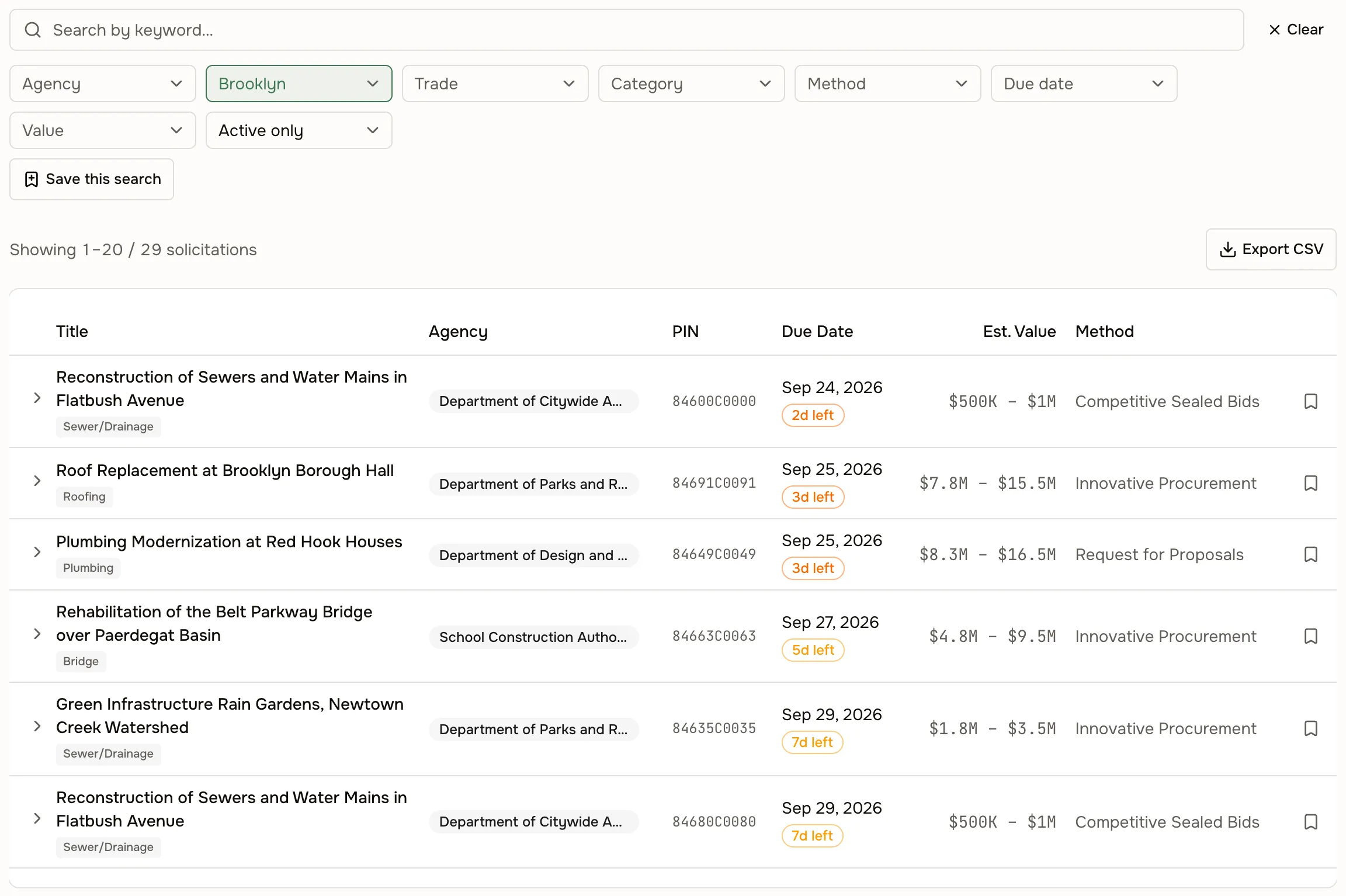
Search supported solicitations by agency, trade, category, borough, due date, and estimated value when available. Every result names the source it came from, so you always know which portal you are looking at — and which ones you are not.
02 · Track deadlines
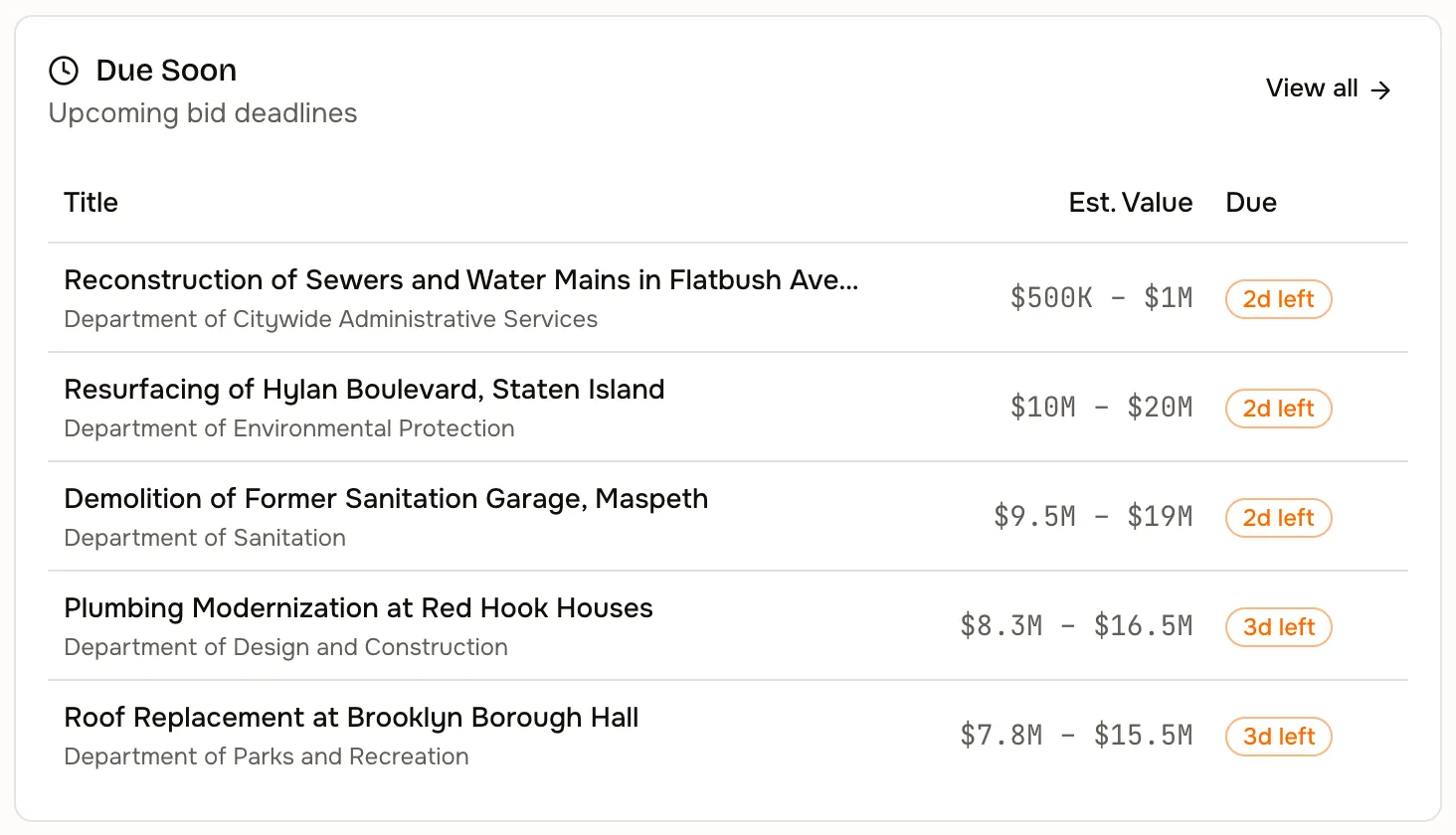
Follow opportunities and watch their due dates. Sources publish no amendment date of their own, so a changed deadline is caught when the notice is re-read, and the record shows both the new date and the one it replaced.
03 · Review the source record
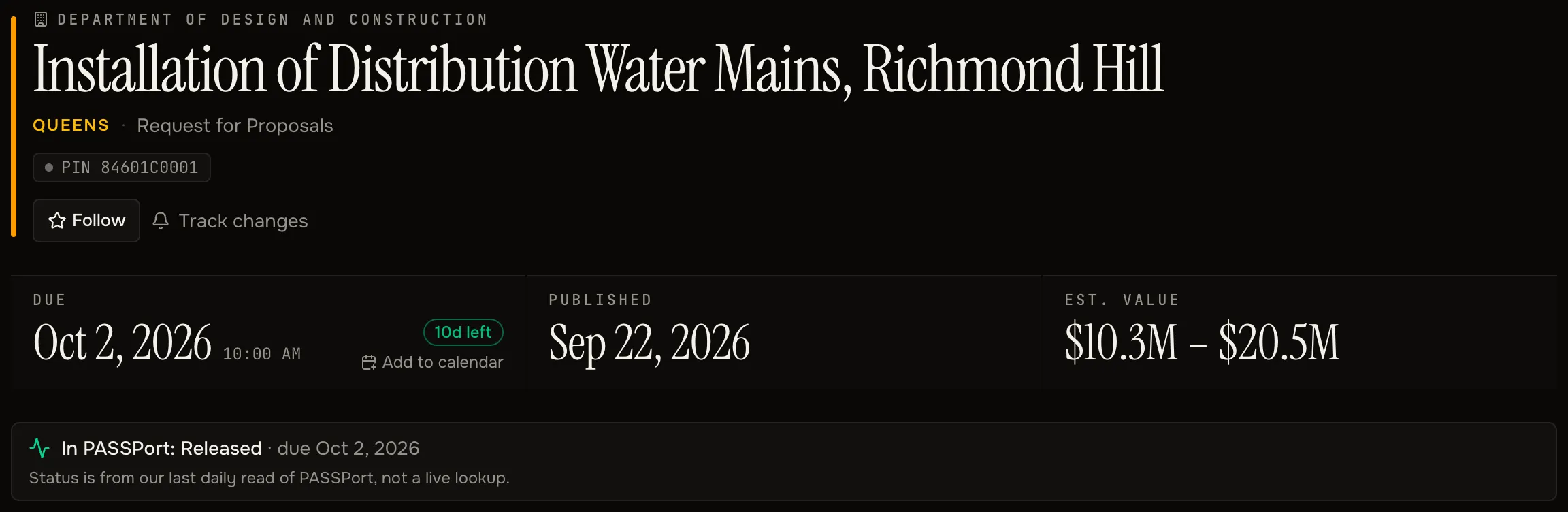
Every result opens into the full notice as published — scope, procurement details, the agency contact who answers questions — and links out to the agency’s own posting for the bid documents. Nothing here replaces that posting: the agency’s record is the record, and 718 Bids is how you find it and keep track of it.
04 · Build a bid watchlist
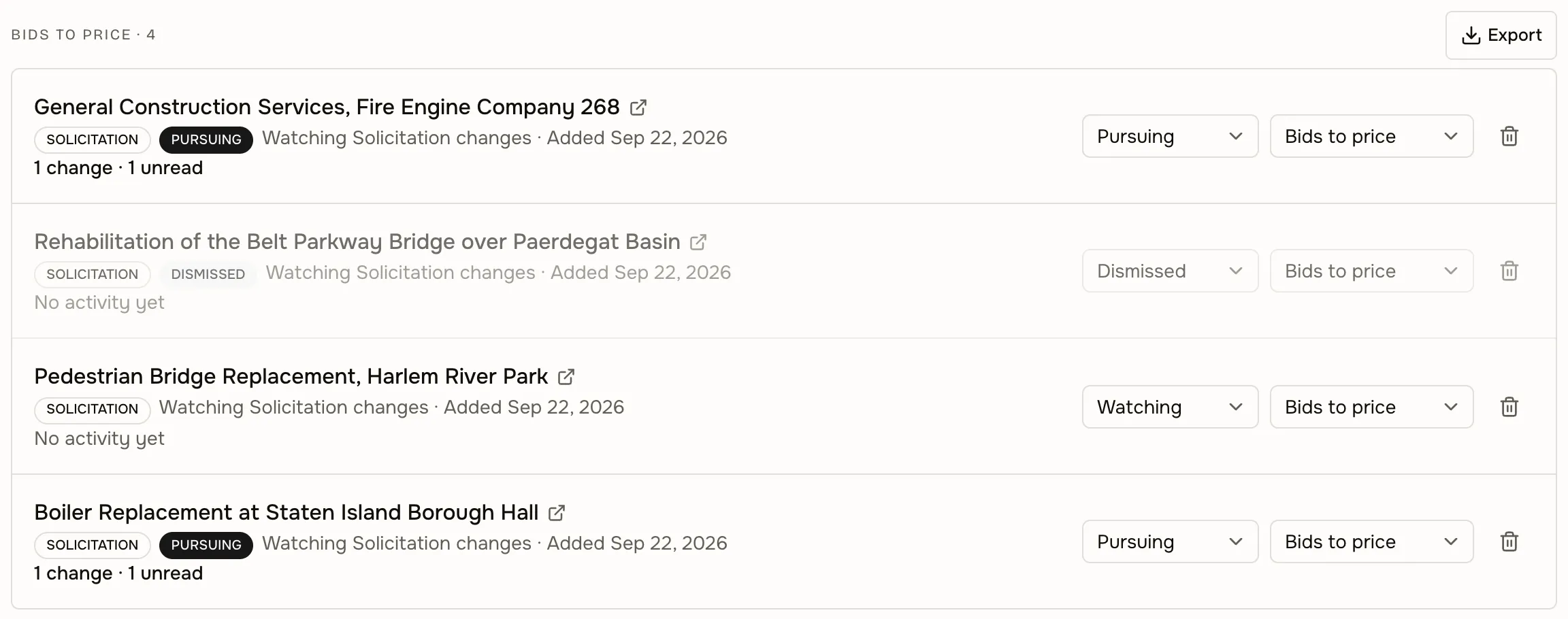
Organize the opportunities you are evaluating and export them to CSV. A watchlist is a list of source records, not a bid-management system — it tracks what the agency published, and leaves your submission to your own process.
Keep the solicitations you are evaluating in your own lists, and mark each one Pursuing or Dismissed.
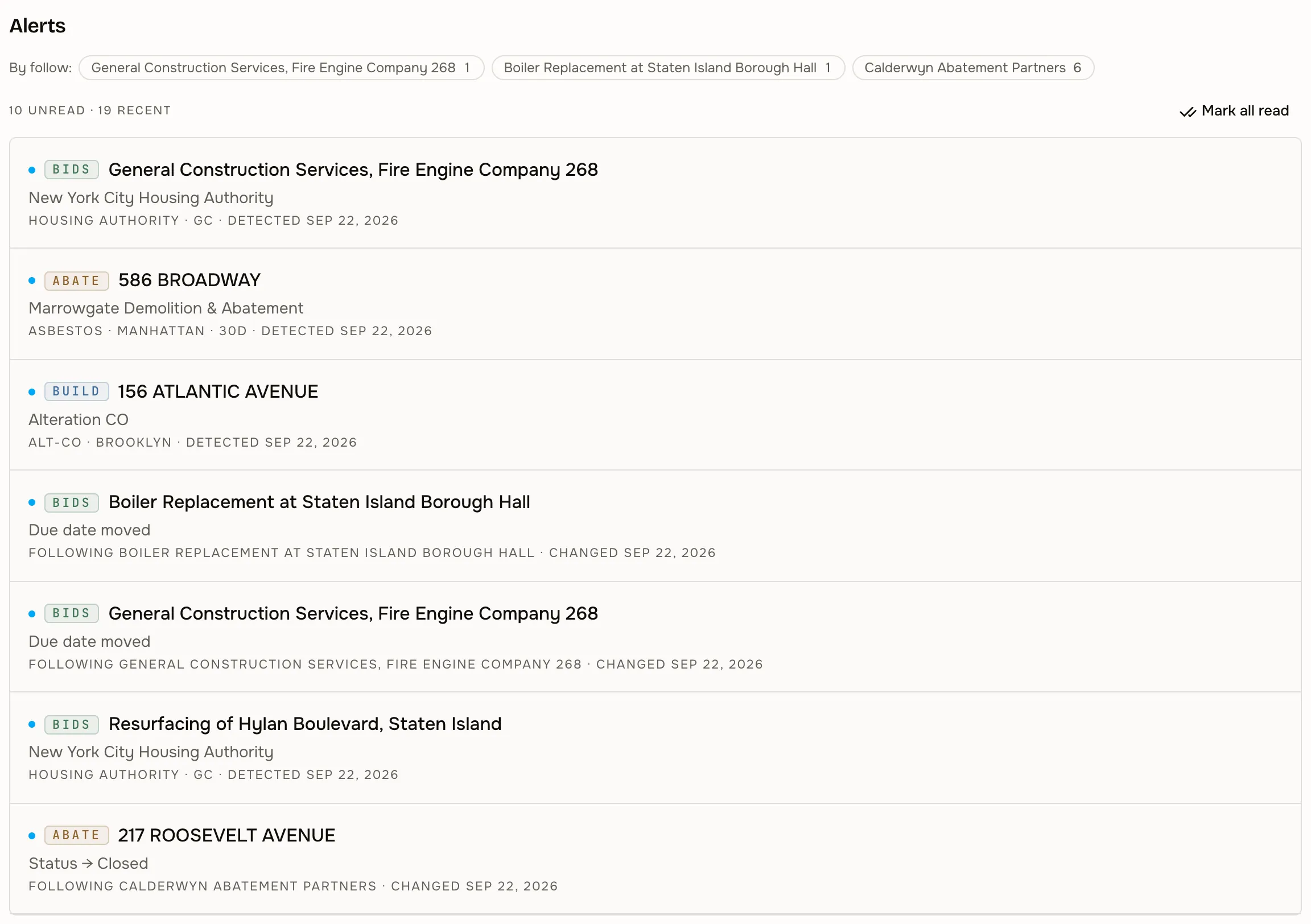
Hear when a followed bid’s deadline moves or an award is posted against it. Alerts cover what a re-read of a supported source turns up — not every change an agency may make.
05 · Review award history
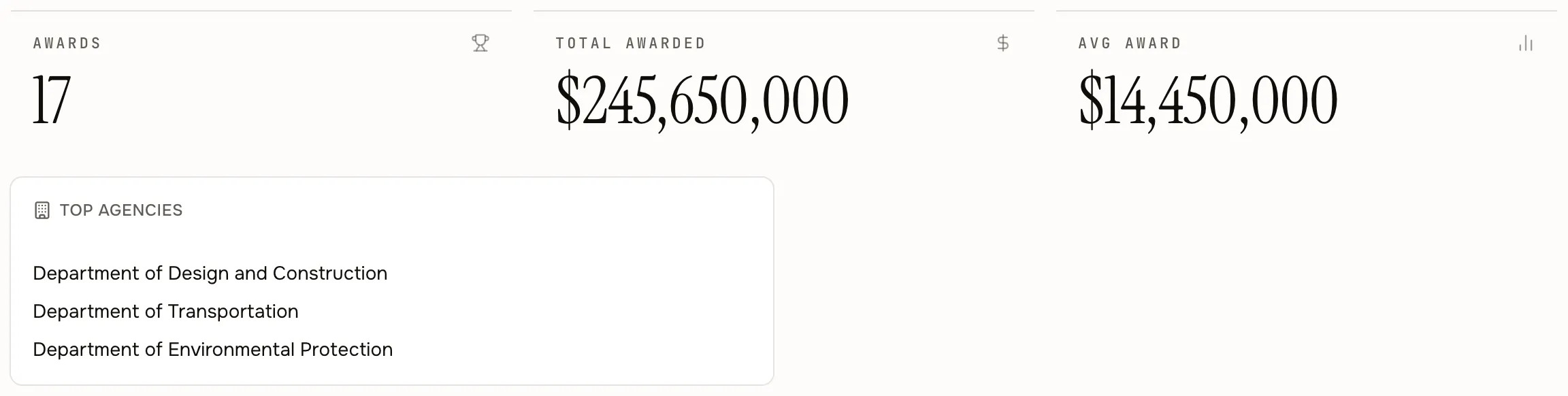
The City Record publishes awards alongside notices, so an agency or a vendor carries the contracts already awarded to it: how many, for how much, and which agencies keep coming back. Awarded value, registered contract value, and recorded payments are shown separately, because they are three different numbers.
06 · Supported sources
Every figure below was read from the live product on September 10, 2026. 718 Bids covers these five sources and nothing else: a portal that is not listed is not searched. Counts are a snapshot from the audit date, not a live market total.
| Source | Record types | Date range | Refresh | Known gaps |
|---|---|---|---|---|
| NYC City Record — Procurement Notices & Awards | Solicitations, contract awards, agency contacts, procurement details | Current through Sep 4, 2026 · 97 active solicitations, 8,313 awards | Daily · last read 12 hours before the audit | The feed carries no amendment date of its own, so deadline changes are detected when a notice is re-read. Estimated value is often not published. Source reporting delay. |
| NYC PASSPort — competitive solicitations | Solicitations with round status (planned, open, responses in, selected) | Current through Sep 4, 2026 · 3,766 solicitations, 247 open | Daily read · last read 2 days before the audit | Status reflects the last daily read, not a live lookup. Most of these appear in no City Record notice. |
| NYC PASSPort — M/WBE small purchases | Noncompetitive small-purchase filings solicited from certified M/WBE firms | Oldest record Jul 2, 2026 · 8,507 filings, 880 open | Daily read · last read 2 days before the audit | Exempt from advertising, so they appear in no City Record notice. Awarded without a competitive bid. Status from the last daily read. |
| NYS Contract Reporter | State agency, public authority, SUNY/CUNY, MTA, Port Authority, county and municipal notices | Current through Sep 4, 2026 · 3,278 notices, 872 open | Last read 2 days before the audit · system update delayed | Open and closed reflect the last full crawl, not a live status. Confirm the deadline at the source before relying on it. |
| NYC DCP Capital Projects Database | Planned capital projects with budget and commit windows | Current through Aug 26, 2026 · 13,044 projects | Last read 2 hours before the audit | A forward-looking pipeline signal, not a solicitation. A commit window is not a posted bid. |
Audited September 10, 2026 Every row was read from the live product on that date, including the gaps — each one is a limitation 718 Bids states on the record itself. Counts move as sources publish; the coverage and the gaps do not. A source that is not listed above is not searched.
08 · Who uses 718 Bids
The same solicitation record answers a different question depending on who is asking it.
Watch the supported portals for the trades you actually perform, instead of opening each one on a schedule.
ExampleOpen solicitations in your categories from supported sources, sorted by due date.
Follow the opportunities you care about and hear when a due date moves or an award is posted.
ExampleA watchlist of open solicitations in your category, with changed deadlines flagged.
See what the supported agencies are putting out right now, and open the original notice before you commit to bidding.
ExampleThis week’s postings from supported sources, each linked to the agency’s own notice.
09 · Connected products
A company named in a public notice often files DOB work under the same name, and the site in the notice has an address, an owner, and a deed. With 718 Build or 718 Property on your subscription, those records open from inside 718 Bids. The match is on the name as published — you confirm it before you rely on it. Where that product is not on your subscription, 718 Interchange shows that related records exist — the product, the record category, and a count — without opening them. Some bids are not tied to a single address, so a solicitation will not always join to a parcel.
Currently onboarding early users. Request access to 718 Bids through a demo.
Already have access? Log in to 718 Interchange.