718 Interchange
One account. One workspace. Your products, connected.
718 Interchange is the workspace where customers access their Seven One Eight Systems products. Search across records, open detailed profiles, save intelligence, follow activity, and move between Build, Abate, Bids, and Property without switching systems.
01 · Unified global search
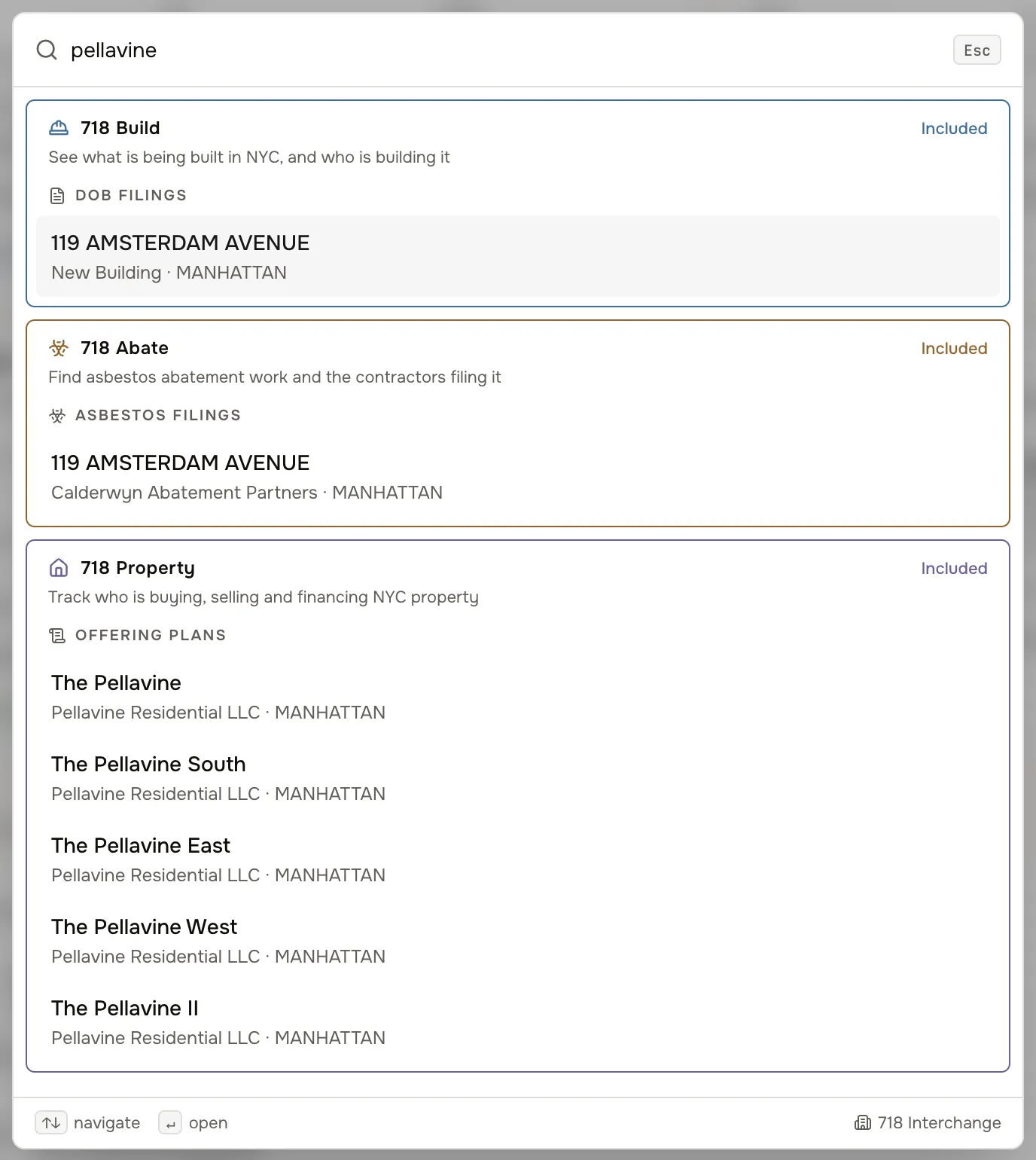
One search. Every subscribed record connected.
Search an address, property, company, contractor, agency, trade, or opportunity and see the connected records included in your subscription. When another 718 product contains related information, the Interchange may show that additional records are available without exposing the underlying data until that product is added.
- Addresses, BBLs, and properties
- Companies, owners, contractors, and applicants
- Agencies, vendors, trades, and award history
- Filings and public solicitations
- Locked previews name what another product holds, not what it says
Connections depend on the subscribed products and the availability of matching public records. Some bids are not tied to a single address.
02 · Connected profiles
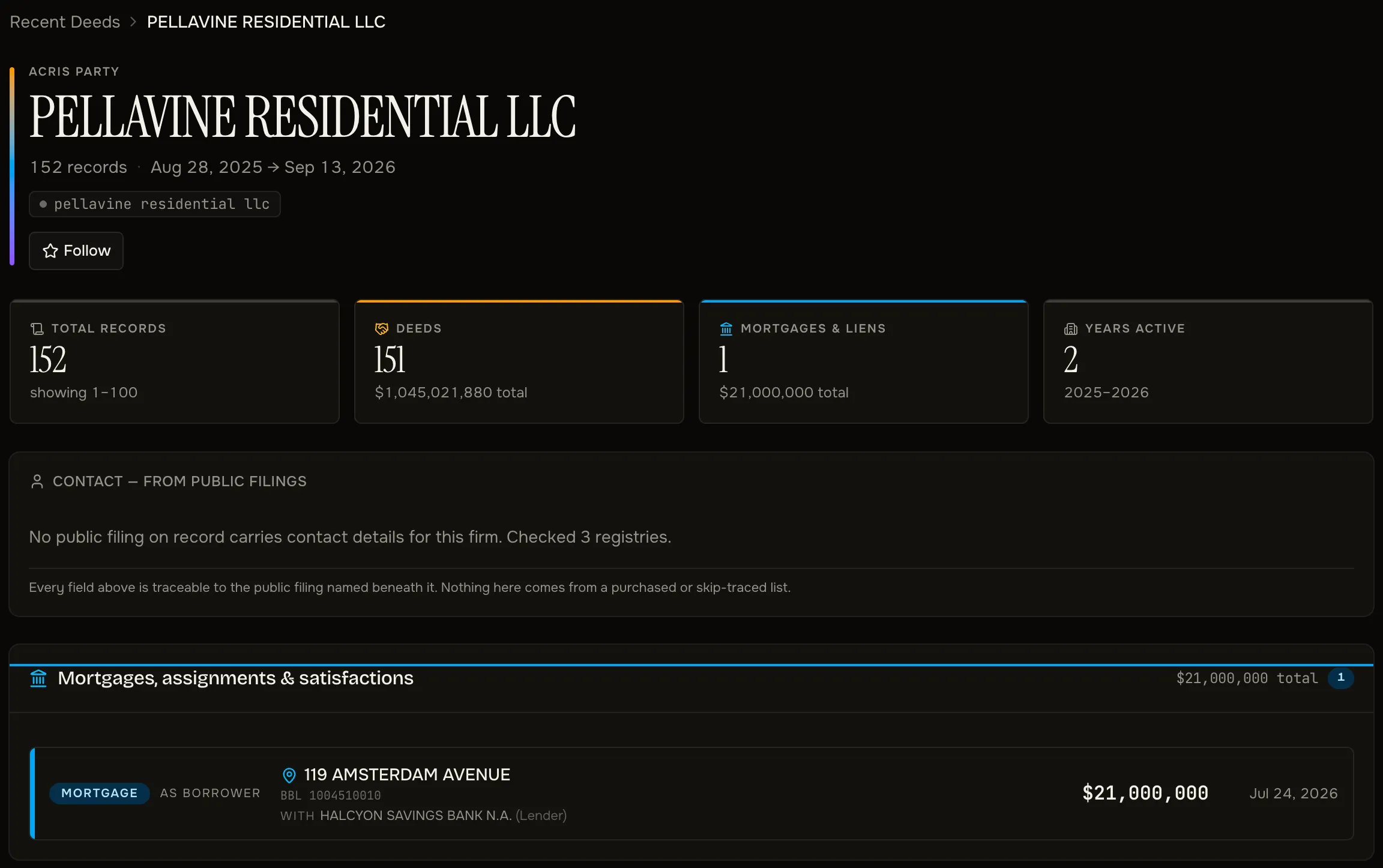
Each record opens into its relationships.
Open a property and you get its recorded owners, DOB filings, asbestos filings, HPD housing-maintenance violations and enforcement status, and transactions in the same place — for the products on your subscription. Each one is a record of its own, so you can keep going.
- Parties named on recorded deeds and mortgages
- DOB filings, asbestos filings, and HPD housing violations
- Contractors, applicants, and independent air monitors
- Violations, enforcement status, transactions, and related properties
03 · Saved searches and lists
Keep what you find.
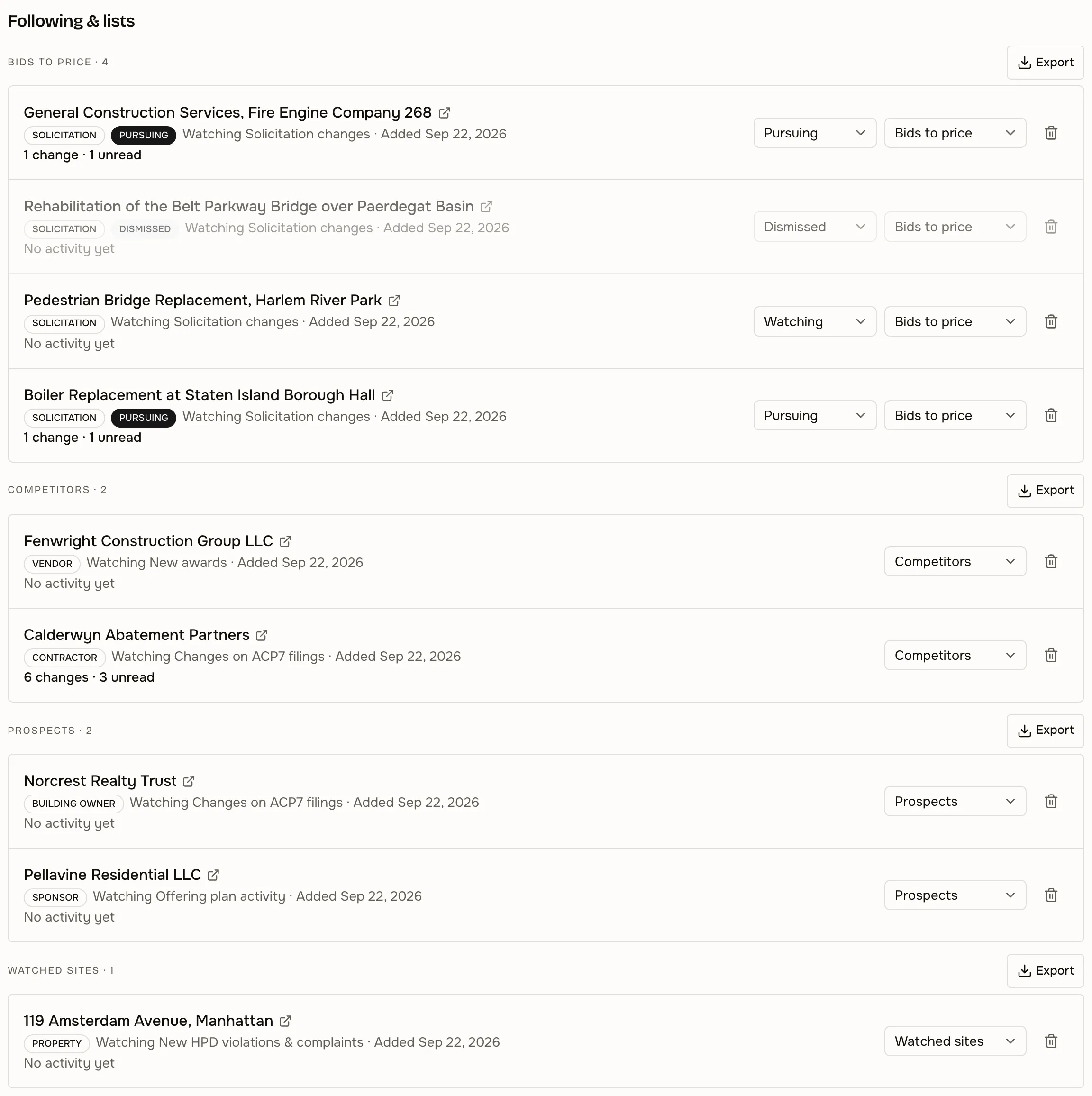
Save a search once and come back to it with everything new since your last visit. Follow properties, companies, filings, vendors, and bids, and group them into your own lists to work through and export.
- Saved searches that re-run against current data
- Followed properties, companies, and filings
- Vendor and bid watchlists
- Your own named lists, exportable to CSV
04 · Monitoring and alerts
Know when something changes.
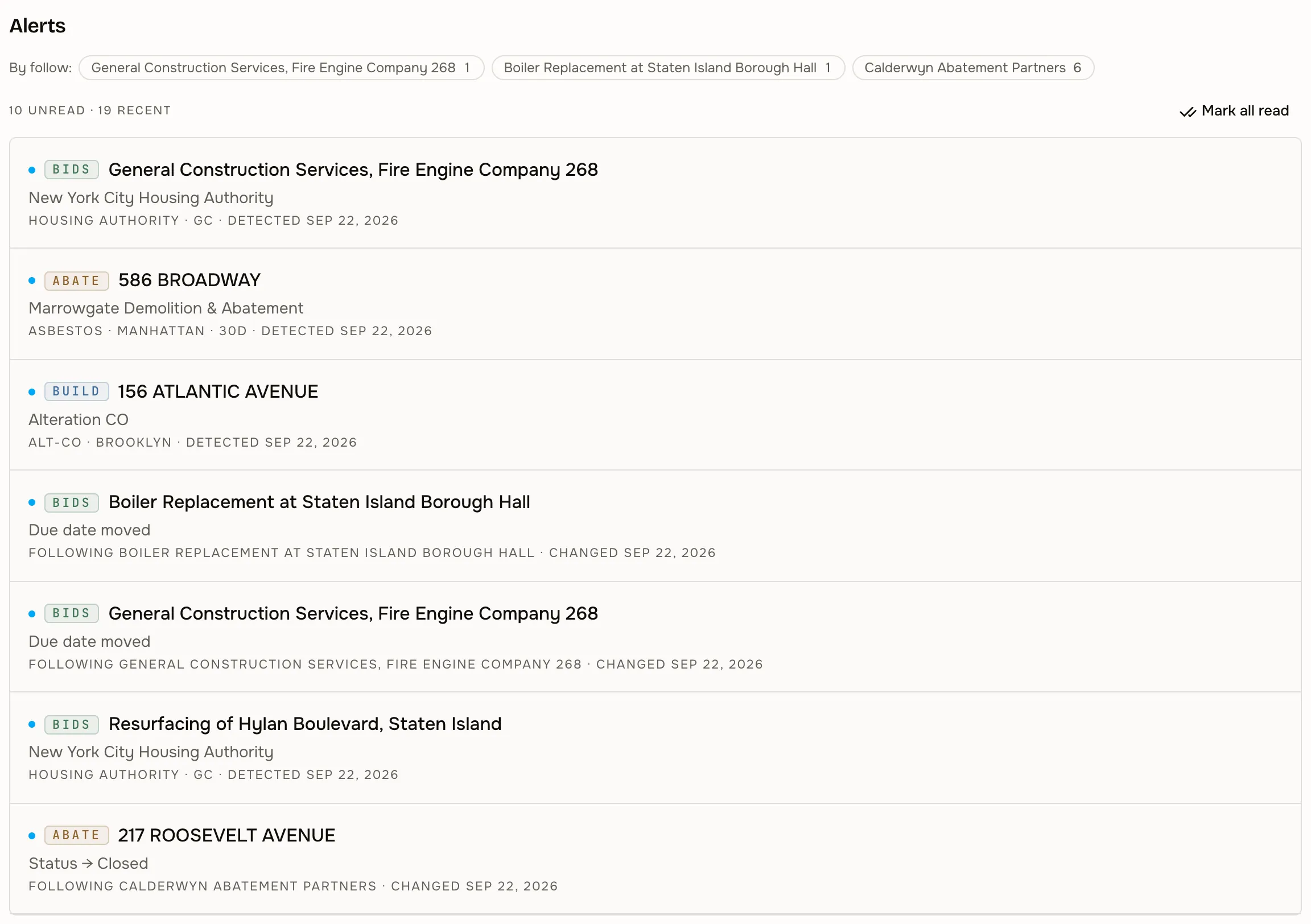
Saved searches and follows watch for new records and for changes to existing ones, and tell you in the workspace.
- New filings and status changes
- New solicitations, changed due dates, and new awards
- New HPD violations on followed buildings
- New activity from followed companies and agencies
Alerts fire on newly ingested records, so they follow each source’s own schedule rather than the agency’s. The first run after you save a search sets a starting point and does not alert on the back catalogue.
05 · Subscription-based access
Subscribe to what you use.
Take one product, or take more. Everything runs through a single account: one login, one set of saved searches and lists, and one place to add or remove products as your work changes. Records stay connected across the products you subscribe to — and where a product you do not have holds something related, the workspace says so without opening it.
- One or more products on one subscription
- One login and one workspace across them
- Related records in an unsubscribed product shown as a locked preview — product, category, and count only
- Product access changes without a new account Beta
- Colleagues added under the same organization Beta
06 · Team access
Accounts for your team. Beta
Colleagues get their own login under your organization, and each person is given access to the products they need — one colleague on 718 Abate, another on whatever your account carries. We set that up with you today rather than handing you a console, which is why this is in beta: the access model is real, the self-serve screen is not.
- Individual logins under one organization
- Product access granted per person
- Saved searches, follows, and lists per person
- Access changes handled by us, usually same day
07 · Product overview
Four products inside one workspace.
Each product is licensed separately and runs on the same connected record. Subscribe to the ones that fit your work and move between them without leaving the workspace. Nothing here assumes you take all four — the ones you do not take stay visible as locked previews rather than disappearing.
See the workspace on the records you care about.
We will walk through 718 Interchange with the properties, companies, and filings your team actually works on.
Already have access? Log in to 718 Interchange.